
标签可用于链接公司、审核和审核模板内部和之间的相关数据。 同一标签可以归因于您帐户中任意数量的审核或审核模板。 这将允许您比较多个审核和公司中给定标签的数据。
要了解如何创建标签以及如何按标签过滤报告,请参阅标签管理页面。
为审核添加标签
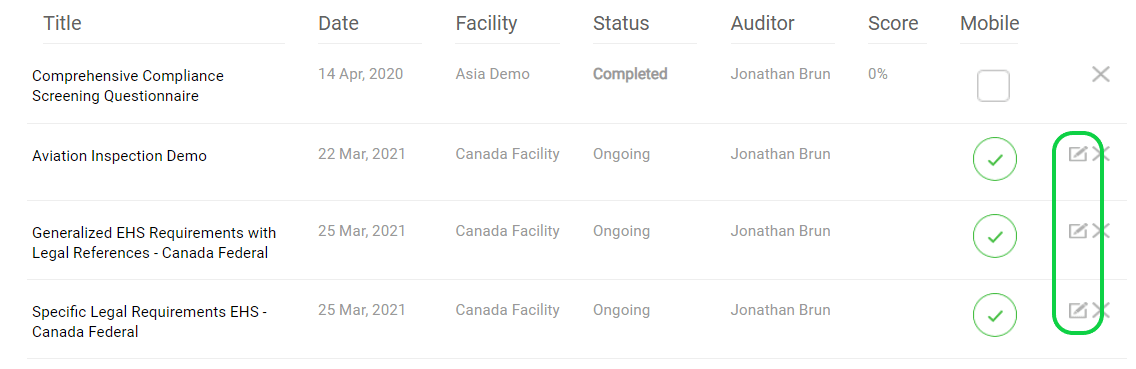
转至审核页面,找到您要标记的特定审核。
单击右侧的编辑图标打开特定审核“编辑页面”。
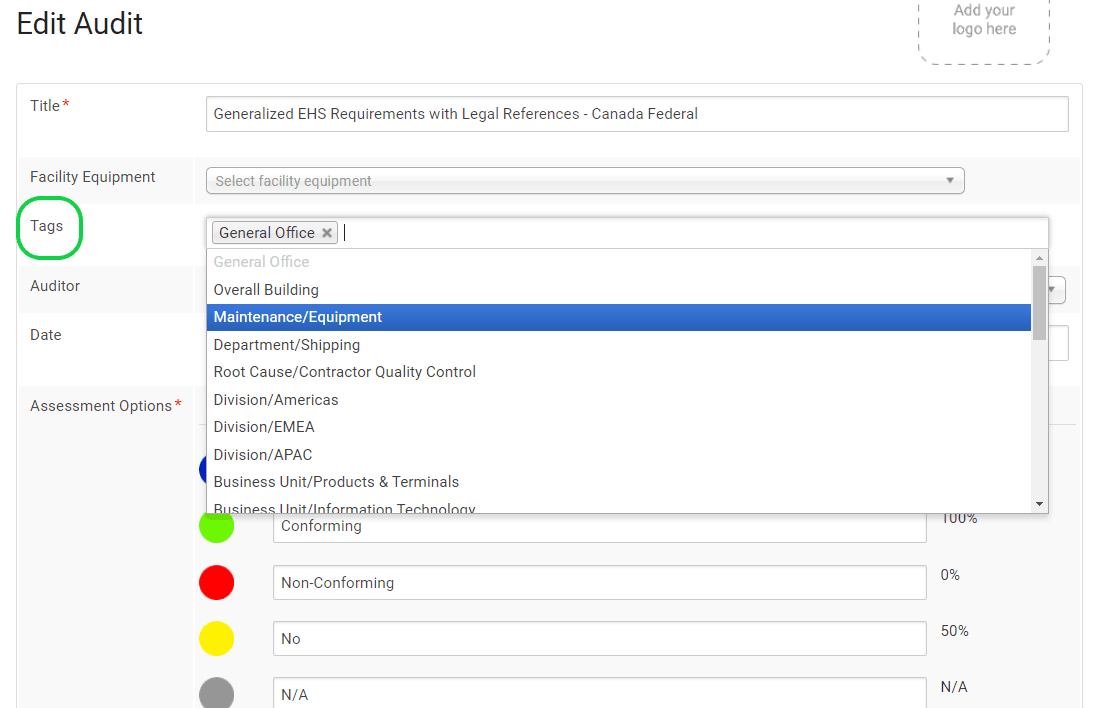
On the Edit Page, go to the “Tags” section and click on the blank field. Select the Tag(s) you want to add to the audit from the resulting drop-down menu. (The menu will contain all the tags that were created for the account.) You can add multiple tags.
Click on “Save” (at the bottom of the page)
Adding Tags to Audit Templates
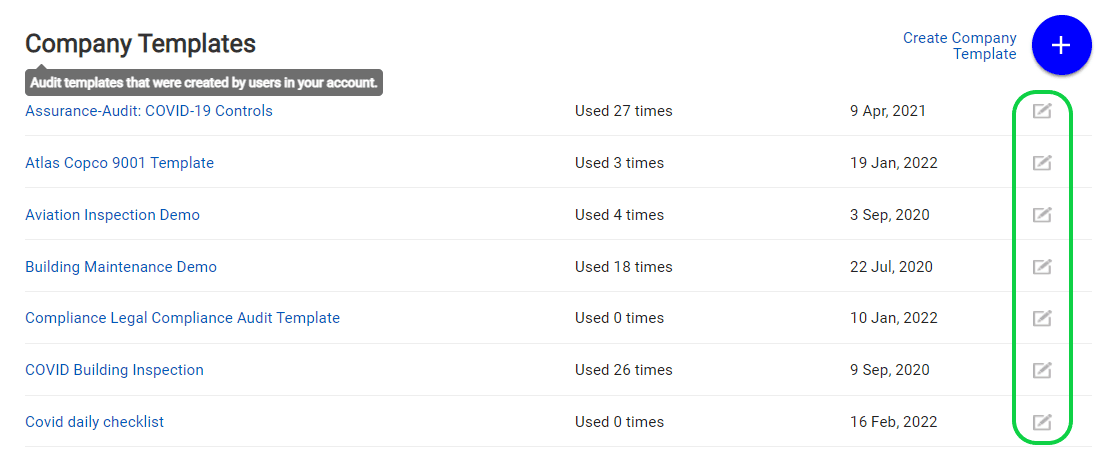
Go to the Audit Templates Page and find the specific Audit Template you wish to tag.
Open the Specific Audit Template “Edit Page” by clicking on the Edit icon on its right.
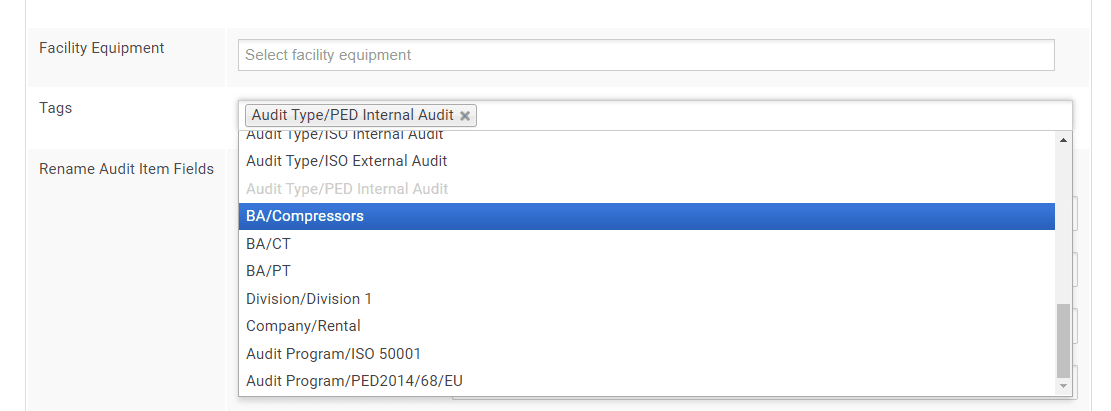
On the Edit Page, go to the “Tags” section and click on the blank field. Select the tag(s) you want to add to the audit from the resulting drop-down menu. (The menu will contain all the tags that were created for the account.) You can add multiple tags.
Click on “Save” (at the bottom of the page)





 沪公网安备31010602007801